Quick Guide to the Content
- The Original Base Camp: Where Adventures Begin (and Sometimes End)
- Basecamp (The Software): Taming the Chaos of Teamwork
- Basecamp vs. The World: How It Stacks Up
- Setting Up Your Digital Base Camp: A Realistic Guide
- Answers to the Questions You're Probably Asking
- Wrapping Up: Is a Base Camp Right for Your Journey?
You know, it's funny how one simple term can mean two completely different things, yet somehow both ideas feel connected. When someone says "base camp," what pops into your head first? Is it a snowy tent village on the side of Everest, buzzing with climbers preparing for the summit push? Or is it a clean, simple software dashboard where your remote team's projects finally feel under control?
Both are valid. Both are incredibly important in their own worlds. And both share a core philosophy: a base camp is your home base, your launchpad, your source of stability before you venture into the unknown. It's the place you return to for rest, resupply, and regrouping. Whether you're facing a mountain or a messy marketing campaign, having a solid base camp can mean the difference between success and a total disaster.
Let's unpack both worlds. We'll start with the original, gritty, outdoor meaning, because it helps explain why the software version works so well. Then we'll dive deep into Basecamp the software—what it is, who it's for, and whether it might be the thing that finally gets your team on the same page. I've used it myself for client projects, and I have some strong opinions, both good and... less good.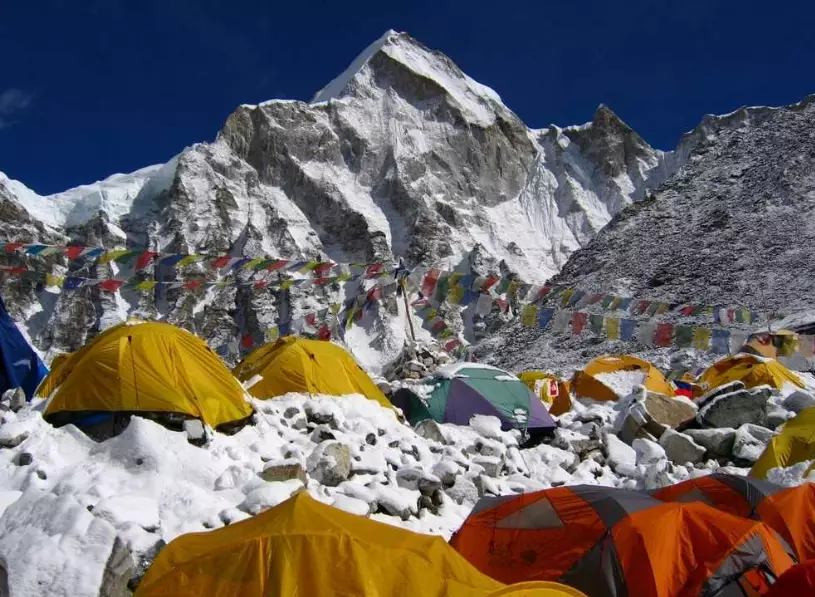
The Original Base Camp: Where Adventures Begin (and Sometimes End)
Picture this. You've been trekking for days. The air is thin, your legs are tired, and everything you need to survive is on your back or carried by your team. Then you see it: a collection of tents, maybe some semi-permanent structures, nestled in a relatively safe spot. This is your base camp. It's not the summit, but without it, the summit would be impossible.
In mountaineering and serious expeditions, a base camp serves three non-negotiable functions: logistical hub, acclimatization station, and safety sanctuary. It's the furthest point you can reach with reasonable support, where you store the bulk of your food, fuel, and equipment.
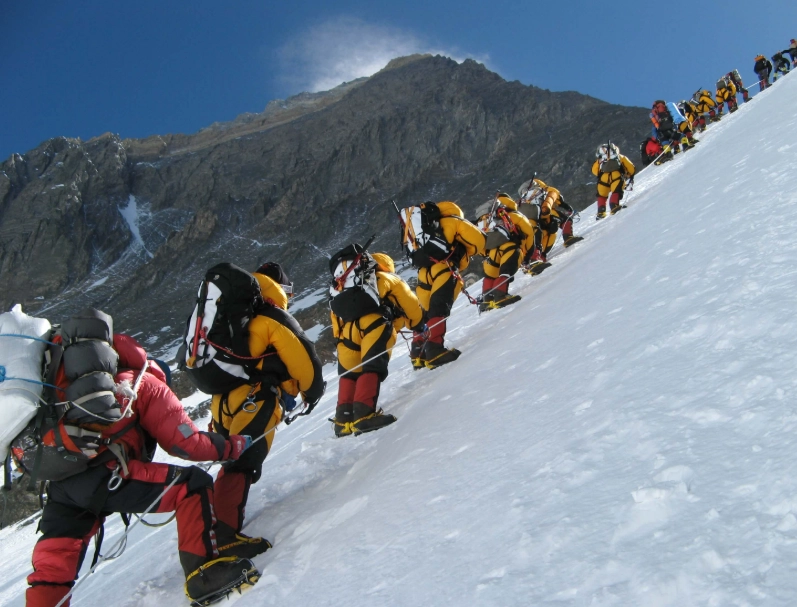
From here, climbers make shorter forays up to higher camps to let their bodies adjust to the altitude—a process called acclimatization. They'll go up, spend a night or two, then retreat back down to the base camp to recover in thicker air. This up-and-down dance is crucial. Try to rush it, and you're begging for altitude sickness, which can be fatal.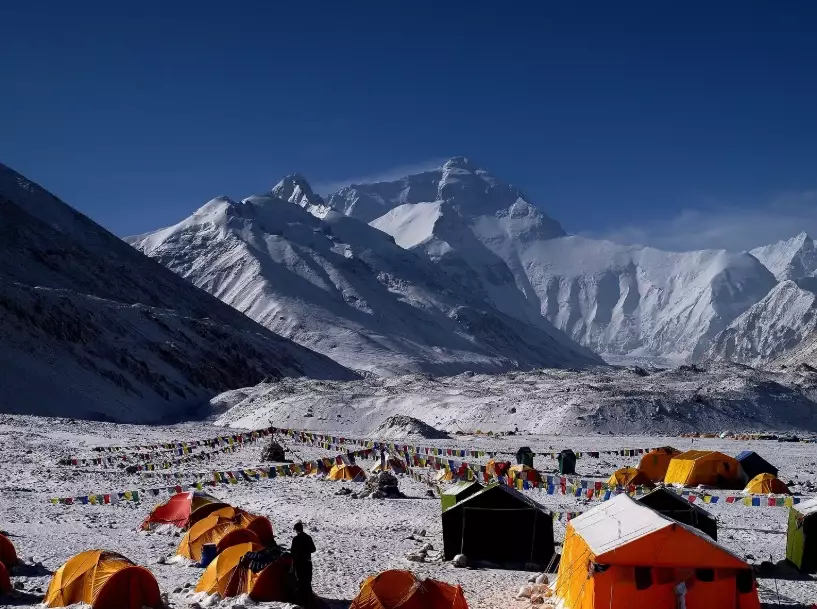
The base camp is also the communications center and the planning headquarters. Weather decisions are made here. Summit strategies are debated over cups of hot tea. It's a community, however temporary. For major peaks like Everest, base camp is a small village with cooks, doctors, and support staff from various expeditions. The National Park Service often outlines strict guidelines for establishing base camps in wilderness areas to minimize environmental impact, which is a whole other critical consideration.
What Makes a Great Physical Base Camp Location?
It's not just about finding a flat spot. Choosing where to set up your base camp is a strategic decision with huge consequences. Get it wrong, and you're fighting an uphill battle (literally and figuratively) from day one.
- Safety First: Avalanche paths? Falling rock zones? Crevasse fields? A good base camp is out of harm's way. It should be on stable ground, protected from the obvious natural hazards of the terrain.
- Access to Water: Melting snow for water burns precious fuel. A nearby, clean water source is a game-changer for any base camp.
- Reasonable Access: It needs to be reachable by porters or supply lines. The most perfect, safe ledge is useless if you can't get your gear to it.
- Sun Exposure: In cold environments, morning sun can make a massive difference in morale and temperature. A sunny base camp feels hopeful; a perpetually shadowed one feels grim.
I remember a backpacking trip where we ignored the "safety first" rule for a "great view." We pitched our tents on a gorgeous, open ridge. The sunset was unbelievable. Then the wind picked up at 2 AM. We spent the rest of the night holding the tent poles up from the inside, convinced the whole shelter was going to fly off the mountain. Not a great base camp experience. Lesson painfully learned.
So that's the traditional base camp. It's about physical preparation, safety, and logistics. Now, let's translate that idea into the modern, digital workplace. Because honestly, don't our projects sometimes feel like climbing a mountain?
Basecamp (The Software): Taming the Chaos of Teamwork
If the mountain base camp is about organizing supplies and people for a physical climb, then Basecamp the software is about organizing information and people for a project climb. It was created by the company 37signals (now known as Basecamp) way back in 2004, and it's built around a single, powerful idea: simplicity.
Their whole philosophy, which they preach relentlessly on their official website and blog, is that most project management tools become part of the problem. They're too complex, have too many features, and end up creating more work than they save. Basecamp tries to be the opposite—a calm, centralized place where everything for a project lives.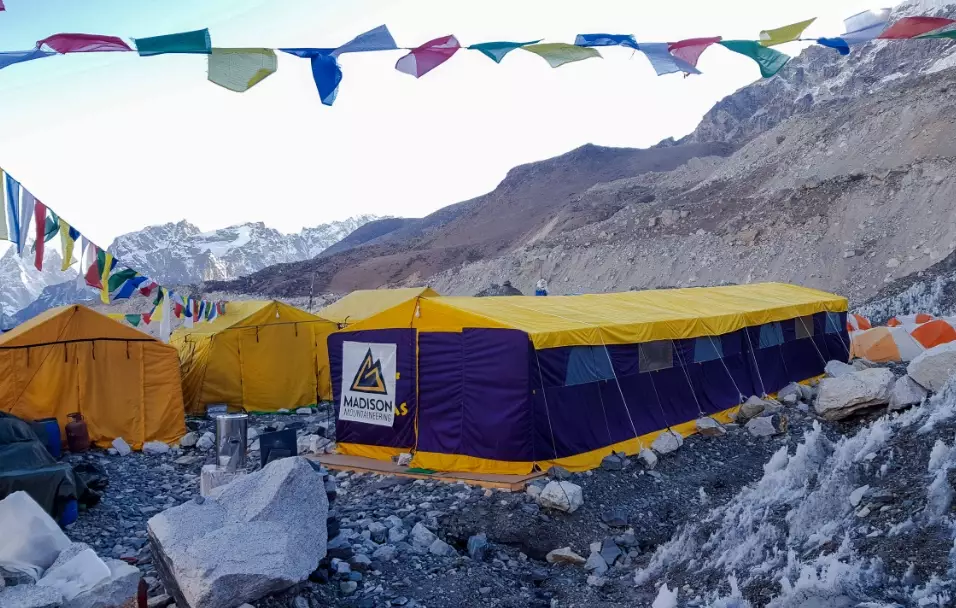
So what's actually inside it? Instead of a sprawling jungle of menus and modules, Basecamp structures each project around six core tools. Think of these as the different tents and facilities in your digital base camp.
| Tool | What It Is | Why It's Useful |
|---|---|---|
| Message Board | Replaces long, messy email chains. Announcements, updates, and discussions start here. | Keeps conversations organized and searchable. Everyone sees the same info. |
| To-dos | The shared task list. You can assign items, set due dates, and break them into lists. | Clear ownership. No more "I thought you were doing that!" moments. |
| Schedule | A shared calendar for the project. Shows deadlines, milestones, and events. | Visual timeline. Everyone knows what's coming up and what's late. |
| Campfire | A real-time group chat for quick, informal questions and banter. | Great for watercooler talk and quick decisions without formal posts. |
| Docs & Files | A central repository for every document, image, spreadsheet, and file. | One source of truth. No hunting through old emails or obscure server folders. |
| Automatic Check-ins | A brilliant feature that asks recurring questions automatically (e.g., "What did you work on today?"). | Replaces boring status meetings. Creates a running log of progress. |
That's the whole toolkit. There's no Gantt chart builder, no resource leveling algorithm, no complex dependency mapping. For some project managers, that's an instant deal-breaker. For others, it's a breath of fresh air. The argument from Basecamp is that those complex features are rarely used correctly and often just create clutter. They'd rather you have six tools everyone actually uses than sixty that confuse people.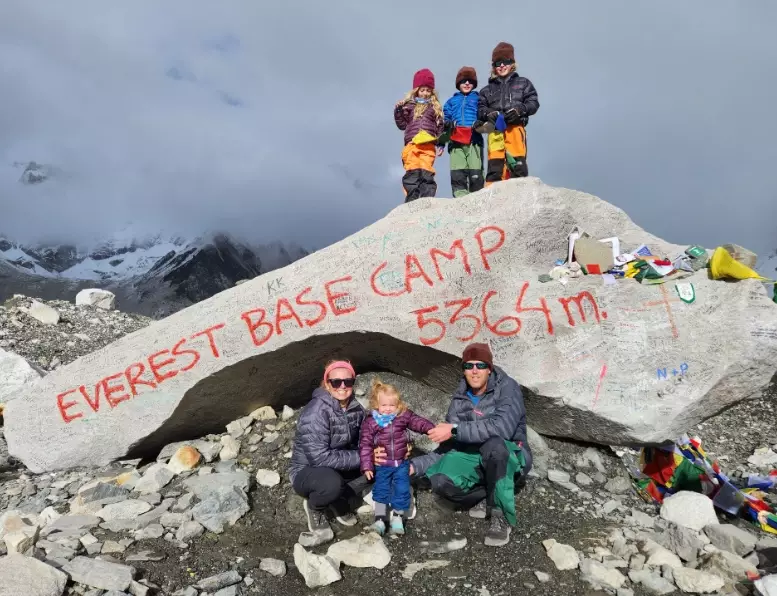
Who's It For? (And Who Should Run the Other Way)
Basecamp isn't for everyone. It's opinionated software. It has a specific way of working, and if you try to fight it, you'll have a bad time. Here's my take on the ideal fit.
Basecamp shines for:
- Small to mid-sized teams (roughly 3-50 people). It gets messy with huge organizations.
- Remote or hybrid teams who need a single source of truth. It kills the "which version is this?" problem.
- Agency work. Client projects are perfect for Basecamp. You can even give clients limited access to their project.
- Teams drowning in email and meetings. If your main problem is communication chaos, Basecamp's structure can be a lifesaver.
- Leaders who value clarity over complexity. If you want a simple answer to "What's everyone working on?" Basecamp gives it to you.
Basecamp might frustrate you if: You need intricate project timelines with dependencies (like in construction or software dev). You're deeply invested in the Microsoft or Google ecosystem and want deep integration. You're a fan of kanban boards (like Trello) or need highly visual workflow management. Basecamp's to-dos are simple lists, not moving cards.
I used it with a web design team of five. For keeping track of client feedback, design drafts, and content deadlines, it was perfect. Everything was in one place. But when I tried to use it for planning a complex product launch with multiple interdependent teams and a shifting timeline, I felt like I was trying to build a car with a screwdriver. The right tool for the right job.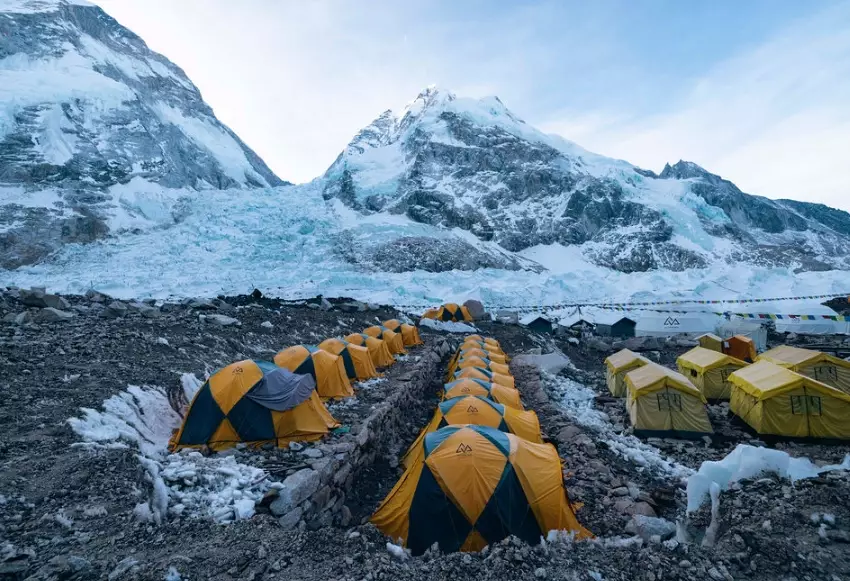
Basecamp vs. The World: How It Stacks Up
You can't talk about project management without looking at the alternatives. The market is packed. So where does this particular base camp sit in the ecosystem?
Let's compare it to two of the biggest names: Asana and Trello. This isn't about declaring a winner, but about seeing the different philosophies.
| Feature / Philosophy | Basecamp | Asana | Trello |
|---|---|---|---|
| Core Metaphor | The Project Dashboard (A centralized camp) | The Task List & Workflow | The Kanban Board |
| Best For | Centralizing project communication & files | Managing complex task workflows & portfolios | Visualizing workflow stages (To Do, Doing, Done) |
| Learning Curve | Very Low | Medium to High | Very Low |
| Customization | Low. You work their way. | Very High. Can build complex rules. | Medium. Flexible boards, power-ups. |
| Pricing Model | Flat fee ($15/user/month or $299/month flat for unlimited) | Per-user, per-month | Per-user, per-month (Free tier is robust) |
| Feeling | Calm, organized, opinionated | Powerful, structured, sometimes overwhelming | Flexible, visual, sometimes too simple for complex projects |
See the difference? Asana is like a Swiss Army knife with all the tools. Trello is a brilliant, simple whiteboard. Basecamp is a pre-furnished house where everything has its place. You don't rearrange the furniture much, but you also don't have to build the house from scratch.
The flat fee pricing is a huge deal for larger teams. While Asana and Trello charge per user per month, Basecamp has a single flat monthly rate for unlimited users and projects. For a 50-person company, that can be massively cheaper. For a 5-person team, it might be more expensive than other options. You have to do the math.
Setting Up Your Digital Base Camp: A Realistic Guide
Okay, let's say you're intrigued. You want to give Basecamp a shot. How do you start without overwhelming your team? Here's a practical, step-by-step approach that's worked for me, learned the hard way after a few false starts.
First, don't migrate everything at once. That's a recipe for rebellion. Pick one active, mid-sized project—a marketing campaign, a product update, a client deliverable. Something with a clear end date. Make this your pilot project.
Pro Tip: Name your first project clearly in Basecamp. Instead of "Q3 Initiative," try "[Project Name] Base Camp." It sounds cheesy, but it mentally frames the space as the team's operational hub. It works.
Second, set up the six tools with intention.
- Use the Message Board for the project kick-off post. Explain the goal, link to key documents, and set the tone. This post becomes the anchor.
- Build the To-do lists collaboratively in a meeting. Don't just dump a massive list in there. Create lists like "Sprint 1," "Content to Create," "Client Approvals." Assign owners and realistic due dates.
- Put every major deadline and milestone on the Schedule. Even meetings. Make this the canonical calendar.
- Upload every relevant file to Docs & Files from day one. The rule is: if it's related to the project, it goes here. No exceptions.
Third, establish the rules of the road. Have a quick 30-minute meeting (your last chaotic one, hopefully) to say: "For this project, all major discussions go on the Message Board, not email. All files live in Basecamp. Check your assigned to-dos daily." Enforce it gently but consistently.
The goal of your first project in Basecamp isn't perfection. It's to experience that "aha" moment when someone asks for a document and you can just paste the link from Basecamp, knowing everyone is looking at the right version. Or when the Monday morning "what's everyone working on" question is answered automatically by the Check-ins. That's when the habit forms.
Answers to the Questions You're Probably Asking
Wrapping Up: Is a Base Camp Right for Your Journey?
So, we've come full circle. From snowy peaks to digital peaks.
The core idea remains timeless: before you embark on something difficult, you need a well-organized, safe, reliable home base. A place where your resources are gathered, your plans are made, and your team is aligned. That's the power of a base camp.
For your next big project, ask yourself: do we have a base camp?
If your team is constantly lost in email threads, hunting for files, and unsure about priorities, then the answer is probably no. You're trying to climb without establishing camp first. A tool like Basecamp (or one of its competitors) can be that foundational piece. It won't do the work for you, but it will give you a clear, common ground to operate from.
And if you're planning a literal mountain adventure? Well, the principles are the same. Plan your location carefully, gather your supplies, and make sure everyone knows the plan. Your base camp—whether made of nylon or pixels—is what gives you the confidence to take on the climb.
Maybe that's the real lesson here. Success, in any endeavor, rarely happens without a good starting point. A true base camp, in every sense of the word, isn't the destination. It's what makes the destination possible.